Getting Started with Tap to Pay on iPhone
Introduction
Tap to Pay on iPhone enables sales associates to accept contactless payments directly on an iPhone using the XY Stylist POS application. To support safe and correct usage, the application opens a Getting Started article that explains how to use Tap to Pay on iPhone effectively.
This Getting Started article opens automatically the first time Tap to Pay on iPhone is used on a device or if the guidance was previously postponed.
When This Screen Appears
The Getting Started with Tap to Pay on iPhone article is displayed in the following situations:
- When Tap to Pay on iPhone is enabled for the store and accessed for the first time
- When a sales associate selects Tap to Pay on iPhone during checkout after previously postponing the guidance
Note: The payment process continues only after the Getting Started article has been reviewed and completed.
Getting Started Flow
-
Open the XY Stylist POS application on the iPhone.
-
Sign in using the assigned store credentials.
-
When Tap to Pay on iPhone is supported, a “Tap to Pay on iPhone is now supported” screen appears.
-
Select one of the following options:
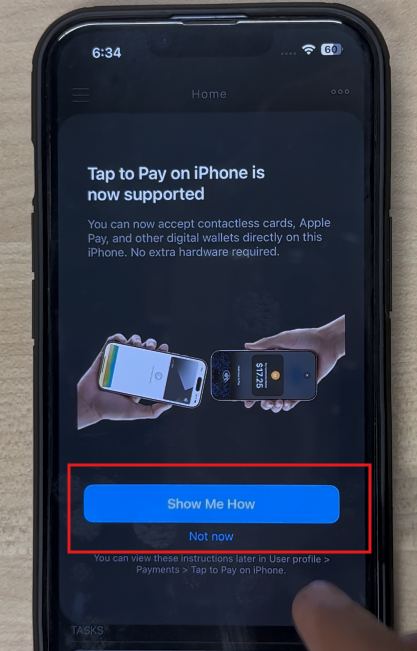
- Show Me How
- Not Now
-
If you select Show Me How, the Getting Started article opens automatically.
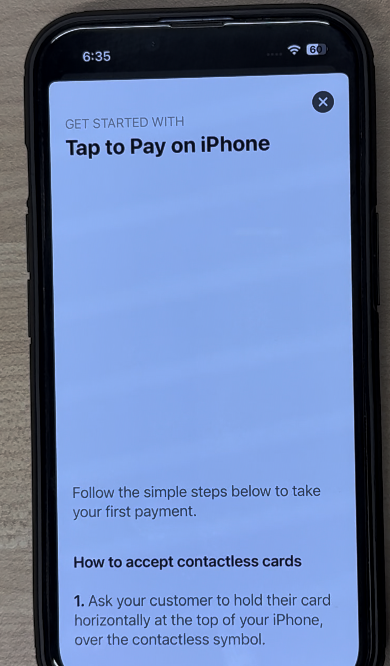
-
After reviewing the article, the iPhone is ready to accept Tap to Pay on iPhone payments.
-
If Not Now is selected, the Getting Started article is temporarily postponed.
-
The next time Tap to Pay on iPhone is selected during checkout, the setting opens to Tutorials
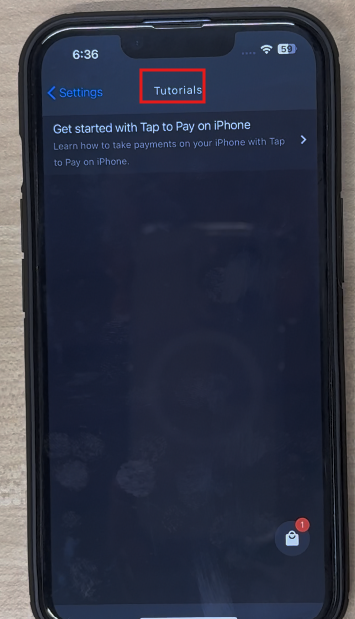
-
Tap the Get started with Tap to Pay on iPhone.
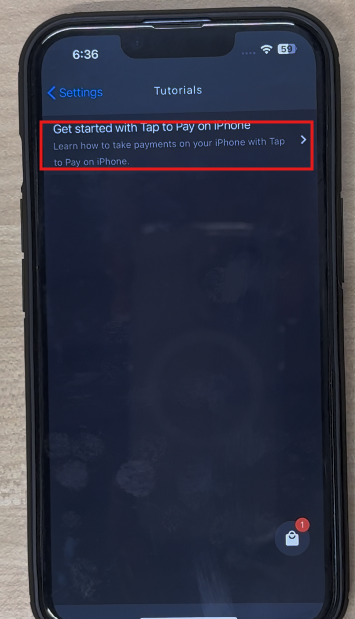
-
Review and complete the article before the payment screen is displayed.
-
After completion, the payment process continues normally.
Manual Access: If a sales associate wants to revisit the Getting Started article to learn how to use Tap to Pay on iPhone, go to User Profile → Payments → Tap to Pay on iPhone → Tutorials → Get Started.