Pack
Introduction
This topic explains the second step in the shipping process, known as Pack. This phase involves preparing the products for shipment by determining appropriate packaging based on dimensions, weight, and the number of units, following successful shipment confirmation.
Steps to Pack the Order
-
Click Pack to start the packaging of the confirmed shipment order.
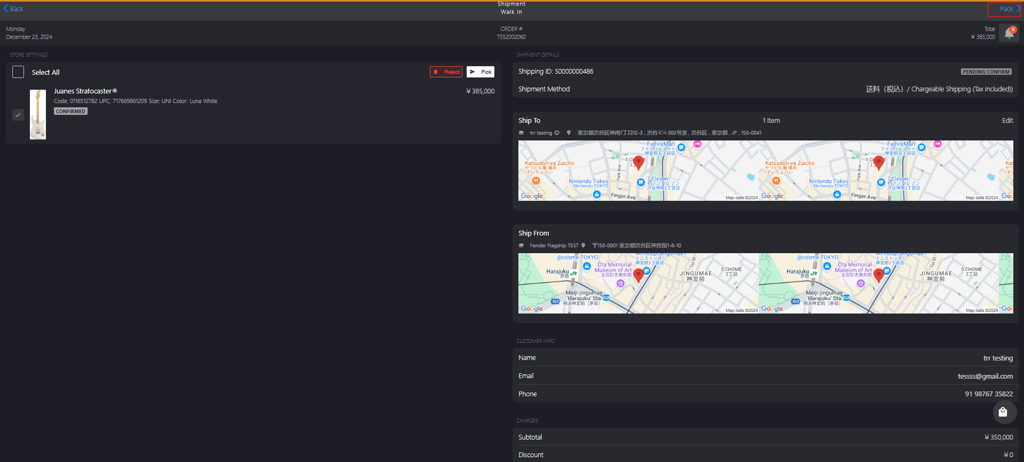
-
Select the following options in PARCEL INFO section to pack the product for shipment.
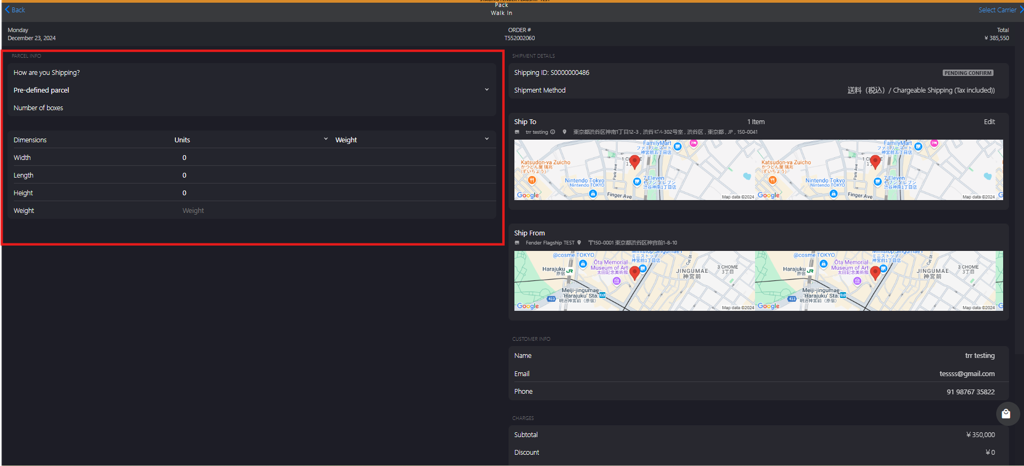
- How are you shipping?
- Pre-defined parcel: A standard box provided by the shipping service or the store. The dimension for this parcel is already set, so you don't need to manually enter its size or weight.
- Custom box: A packaging option which requires your input regarding dimensions and number of units.
- Width
- Length
- Height
- Weight
- Units
- Number of boxes: Enter the total number of boxes required for shipment.
- How are you shipping?