Releasing Items from Reservation
Introduction
This topic explains the procedure of releasing items from a reservation.
Steps to Release an Item from a Reservation
-
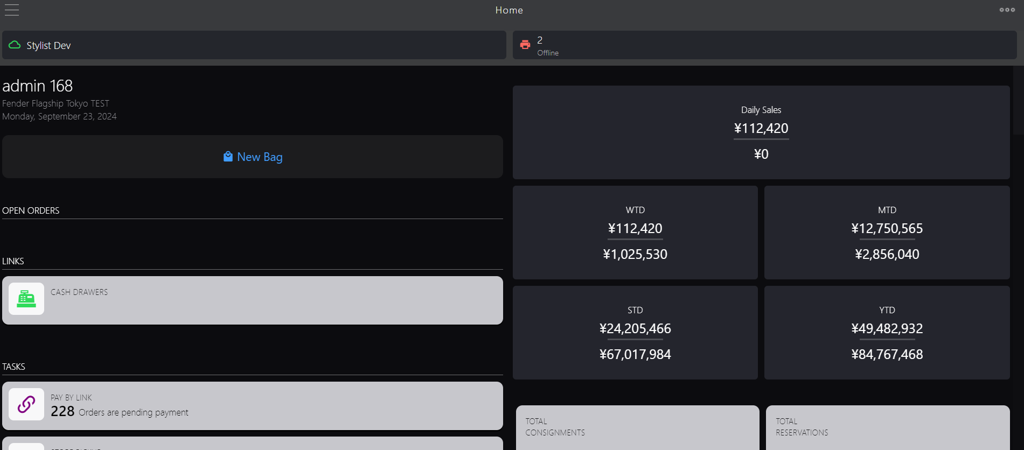
Click the burger menu.
-
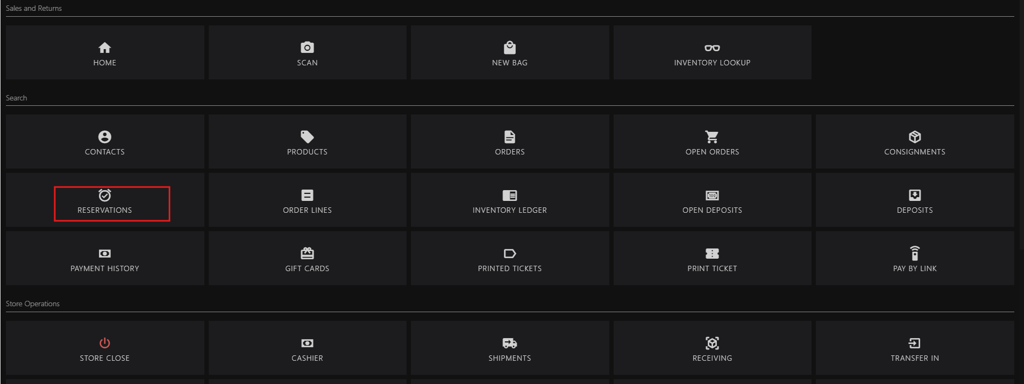
Click RESERVATIONS.
-
Search for the order using any of the following methods:
-
Enter any of the following criteria in the search box:
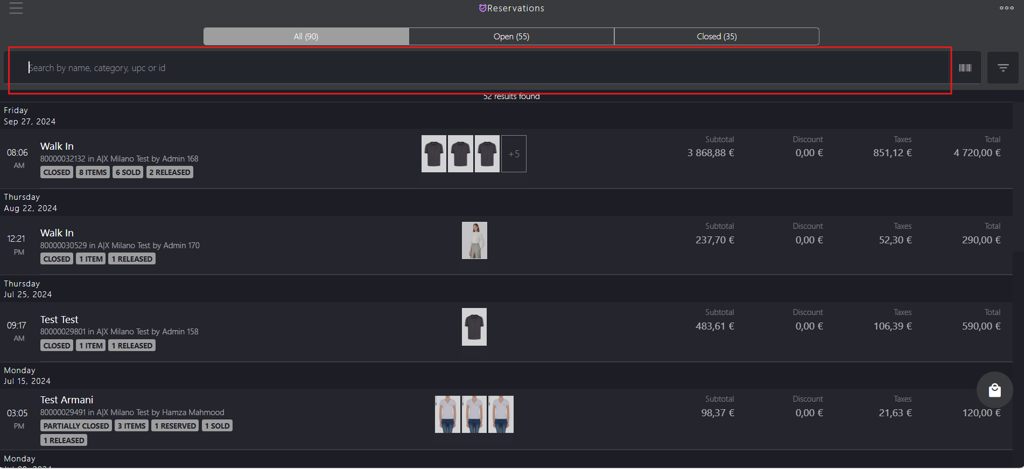
- name: Enter the customer’s name.
- category: Enter the reservation cart status (Open, Closed, or Partially Closed).
- upc: Enter the item’s UPC.
- id: Enter the order id.
-
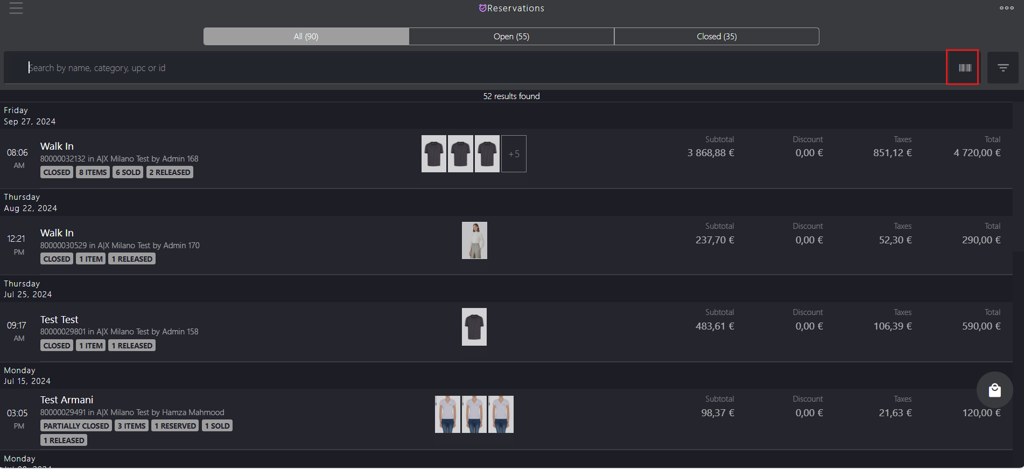
Scan the item barcode.
-
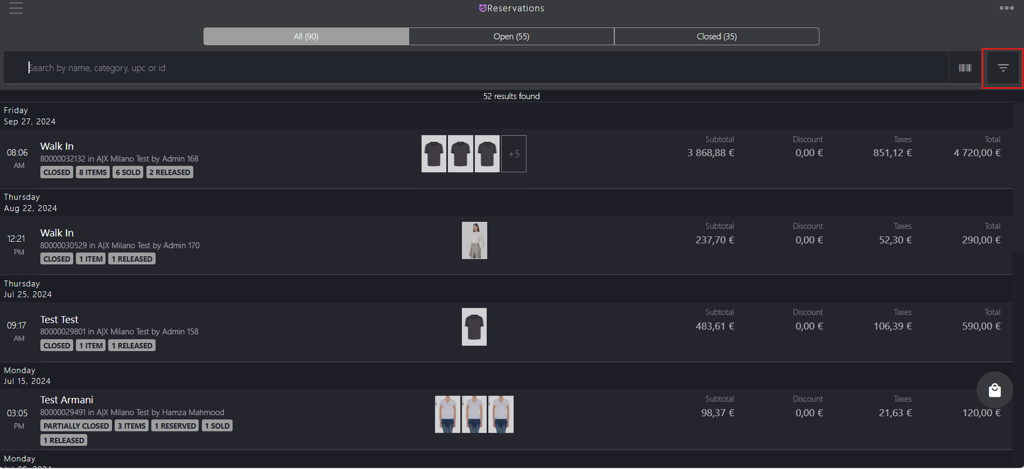
Apply the filters based on the category.
-
-
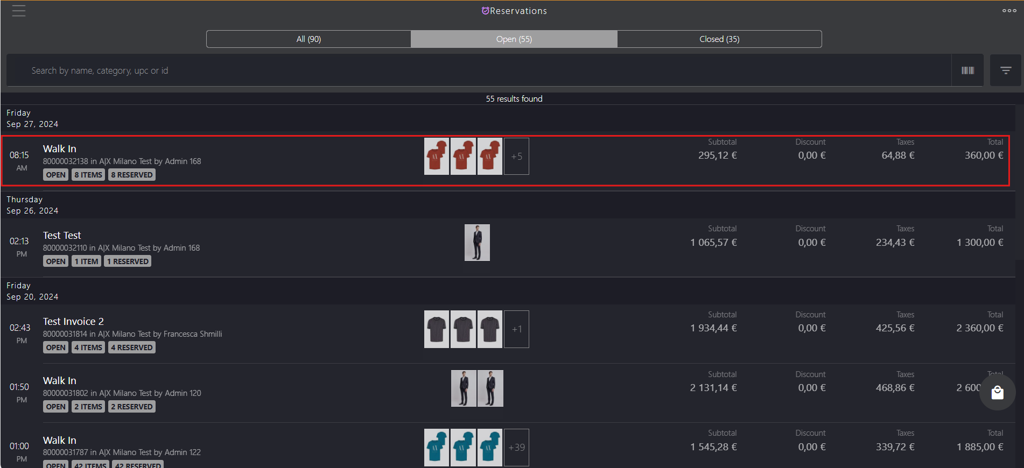
Select the order number from the list.
-
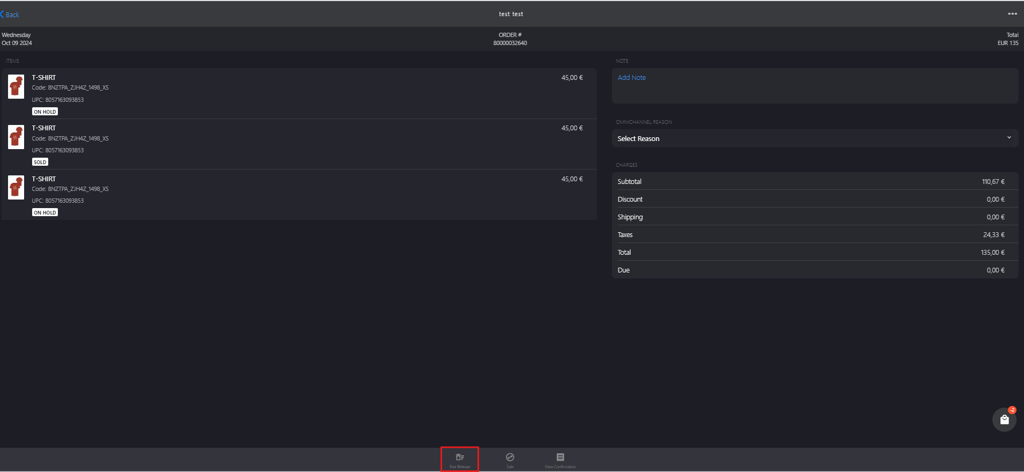
Click Fast Release on the bottom bar.
-
Click the red button on the upper-right corner.
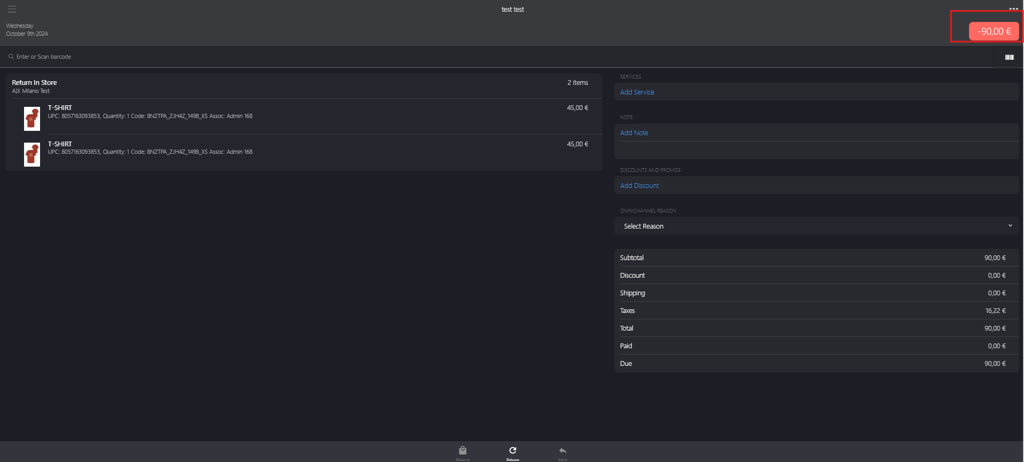
-
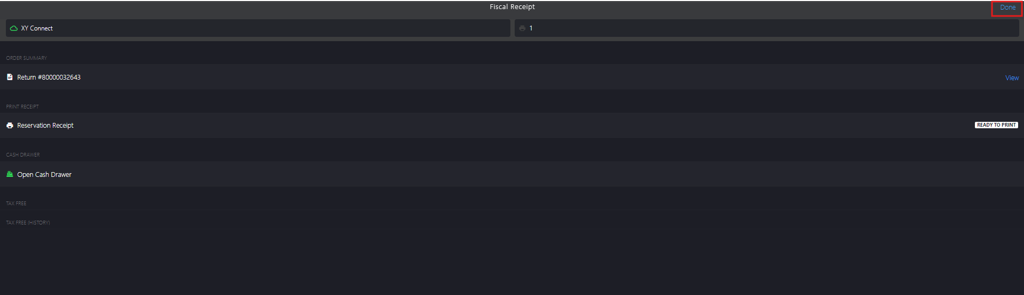
Click Done to complete the item release.