Physical Card Registration
Introduction
A physical card is a card issued by respective brands to identify a customer’s membership or registration with that brand. This card is not associated with other features such as loyalty programs, gift cards, payment methods, purchase history, or store credits.
The Physical card includes a barcode that will be scanned via X/Y Stylist POS during customer registration. This barcode will represent the customer’s brand card code that is saved into the customer’s account.
Note: The physical card is not issued for business customer registration.
Steps for Physical Card Registration
-
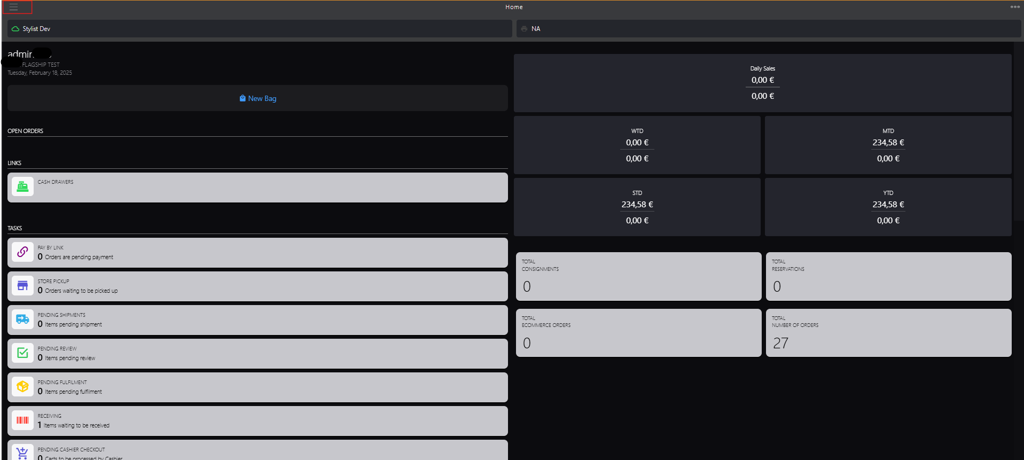
Click the burger menu.
-
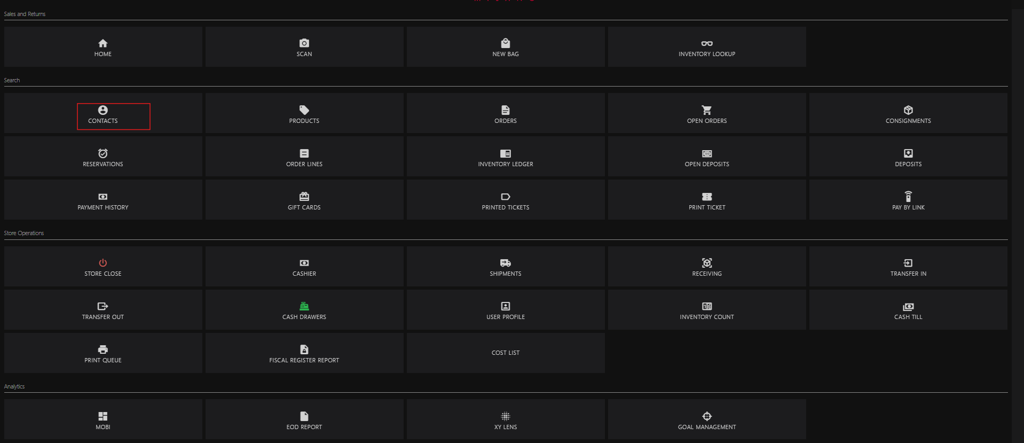
Click Contacts.
-
Click + icon in the upper-right corner.

-
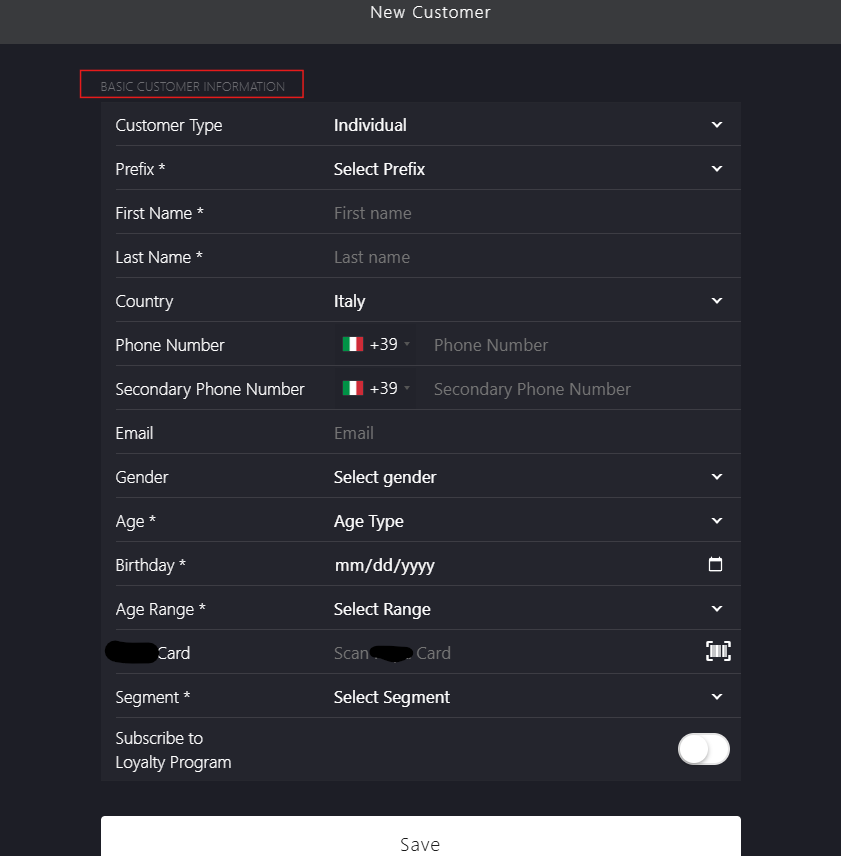
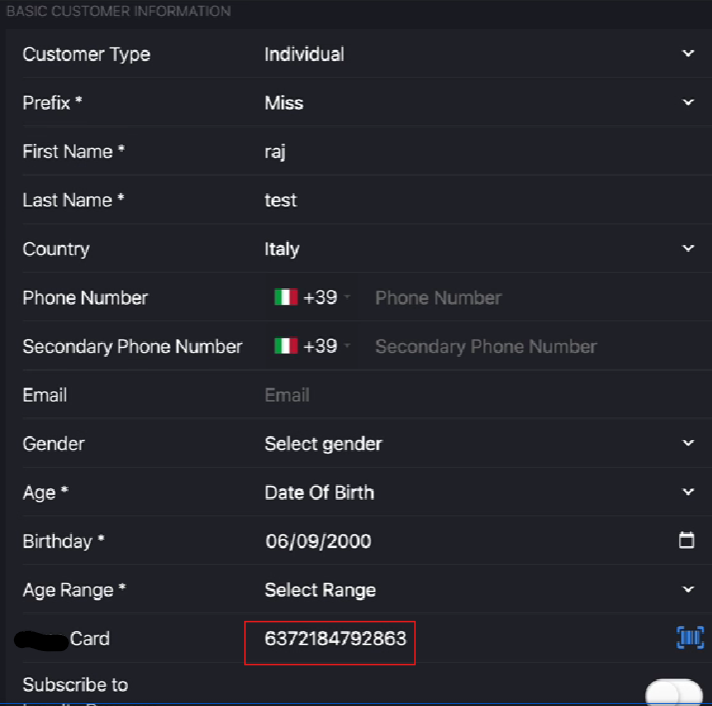
Enter the BASIC CUSTOMER INFORMATION section parameters.
-
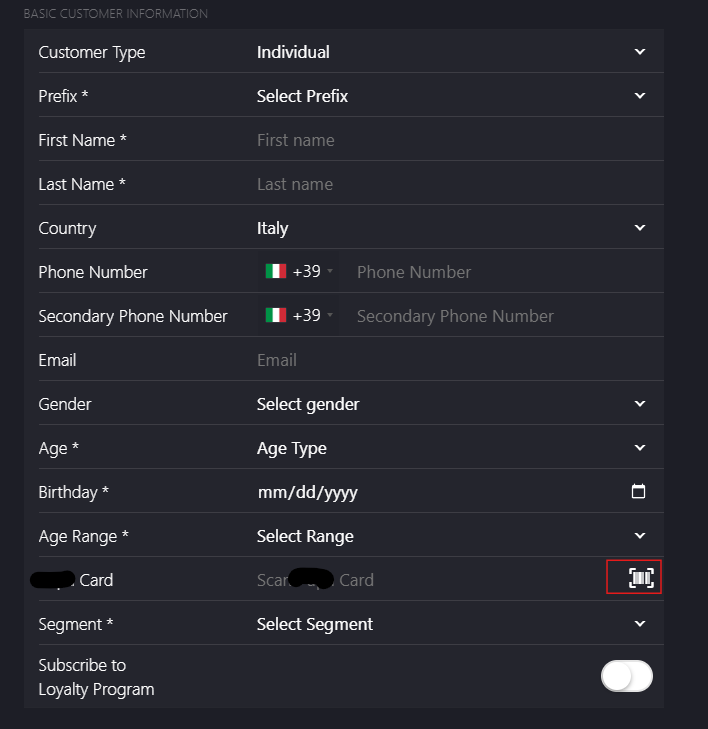
Scan the card barcode in the Card field.
-
After Scanning, the card number will be associated with the respective customer.
📝 The physical card for the existing customer can be replaced by scanning the new physical card.