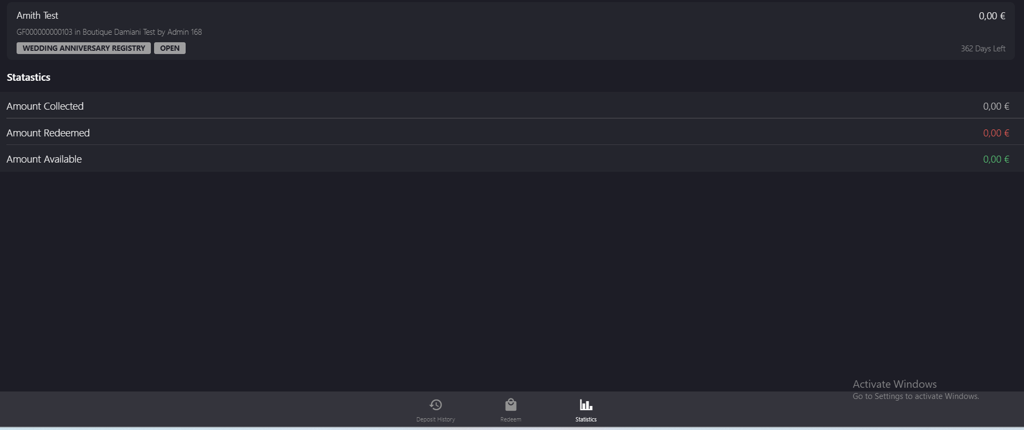
Verifying New Gift Registry Account
Introduction
This topic explains how to verify newly created gift registry account.
Steps to Verify New Gift Register Account
-
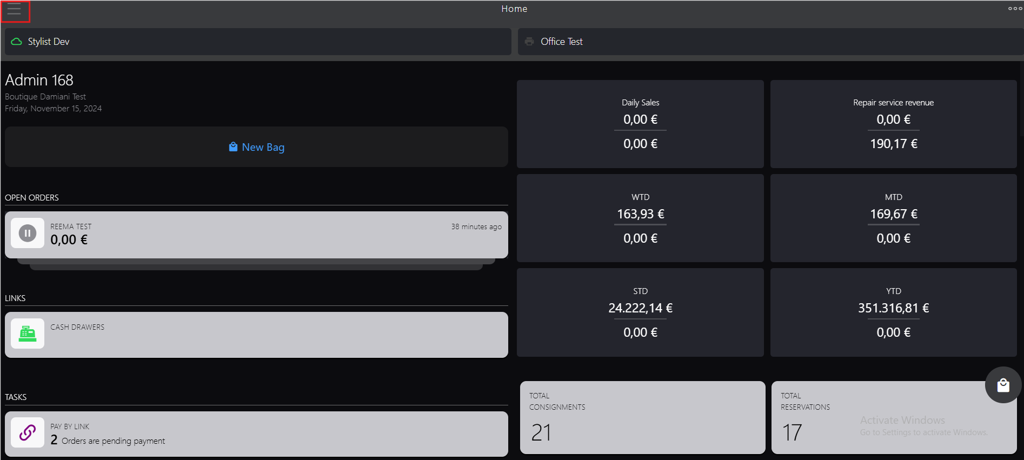
Click the burger menu.
-
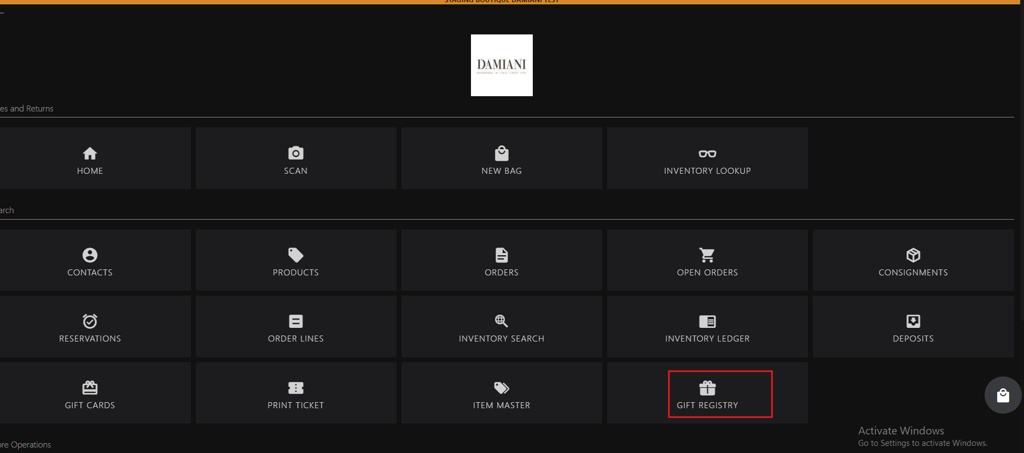
Click GIFT REGISTRY.
-
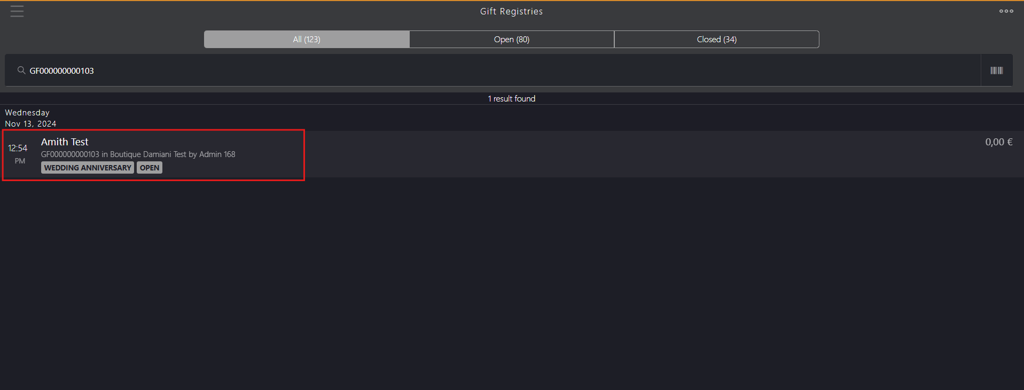
Search for the gift registry using account holder’s name, gift registry id or gift registry tag in Gift Registries.
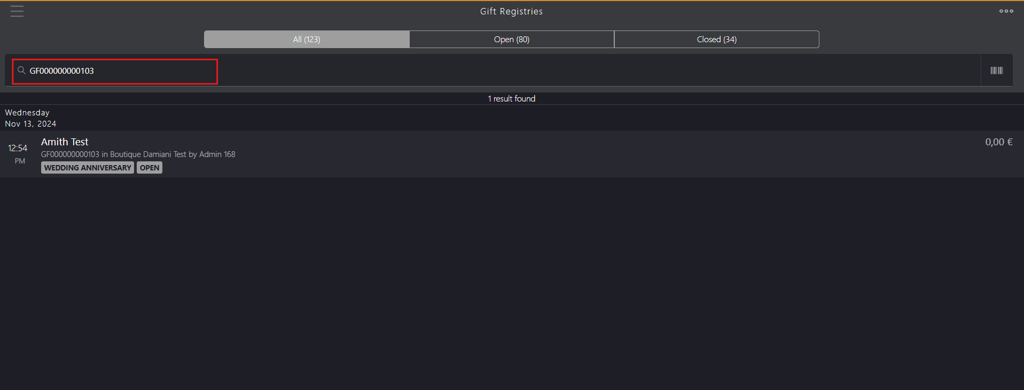
- Account holder’s name: The individual’s name for whom the account is created, for example, Amith Test.
- Gift registry id: A unique number allocated to gift registry account upon creation, for example, GF000000000103.
- Gift registry tag: The registry category for which the gift registry account is created, for example, WEDDING ANNIVERSARY.
- Status: Gift Registries page appears with a status bar that includes the following tabs:
- ALL: Displays all the accounts in open and closed status.
- Open: Displays only the accounts in open status.
- Closed: Displays only the accounts in closed status.
-
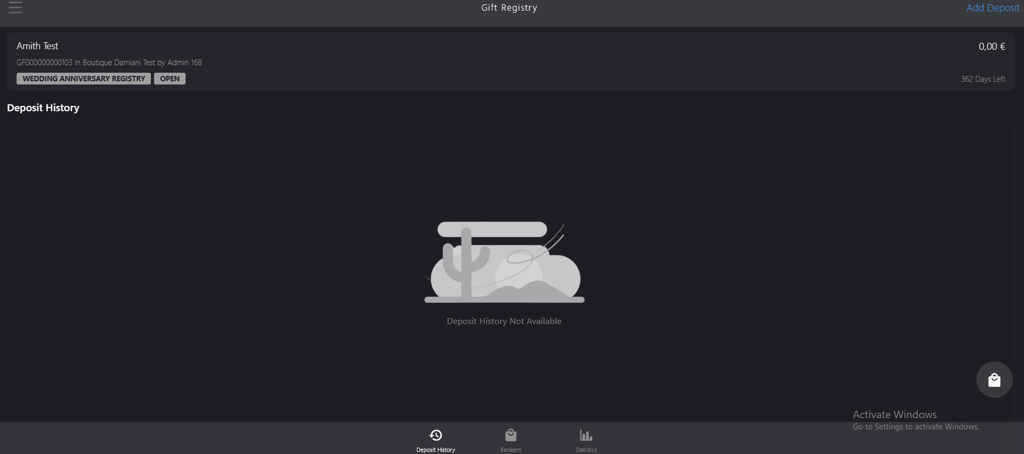
Select the customer’s name from the search result to display the gift registry account.
-
Verify the options in Gift Registry bottom bar menu:
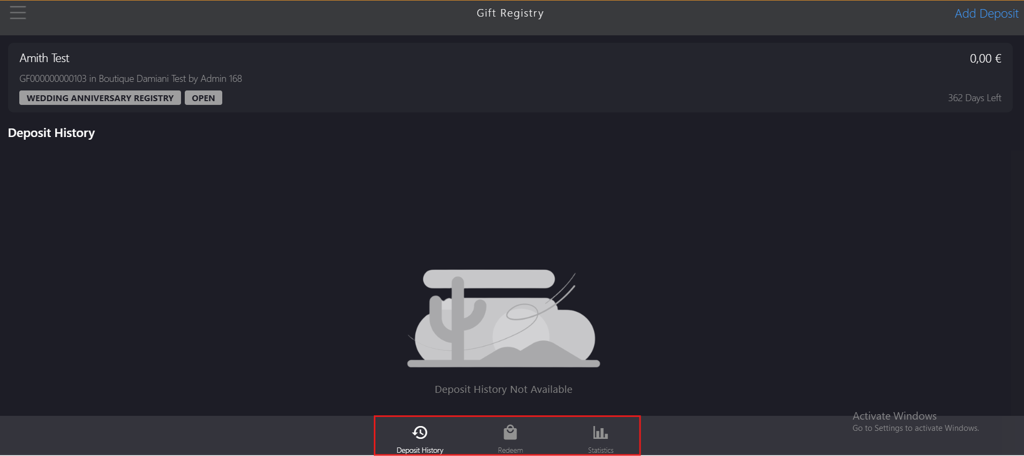
- Deposit History: Displays the deposits received to the account.
- Redeem: Allows customer to purchase the items.
- Statistics: Displays the following total amount status:
- Amount Collected: Displays the total amount of funds collected in the gift registry account.
- Amount Redeemed: Displays the total amount of funds redeemed from the gift registry account.
- Amount Available: Displays the remaining funds available in the gift registry account after an item purchase.