Adding Deposit to Gift Registry Account
Introduction
This topic explains the procedure to add deposit to the gift registry account.
Steps to Add Deposit to Gift Registry Account
-
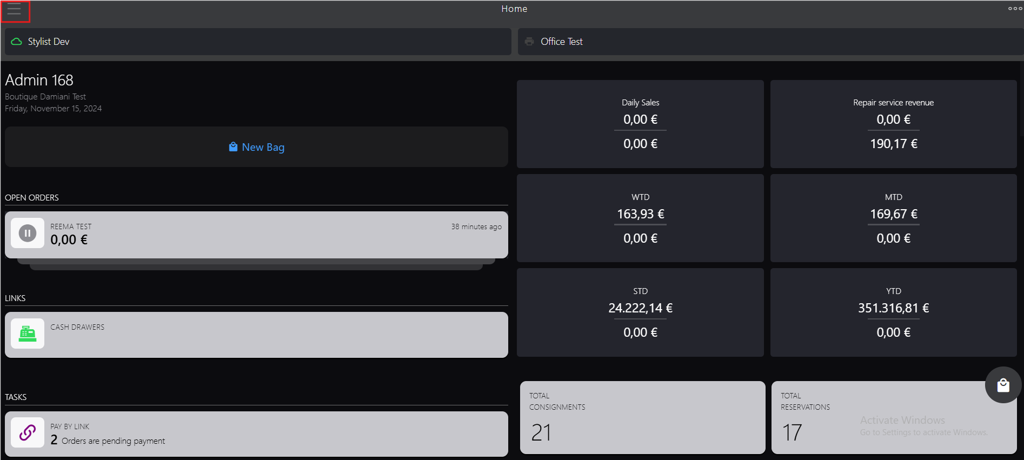
Click the burger menu.
-
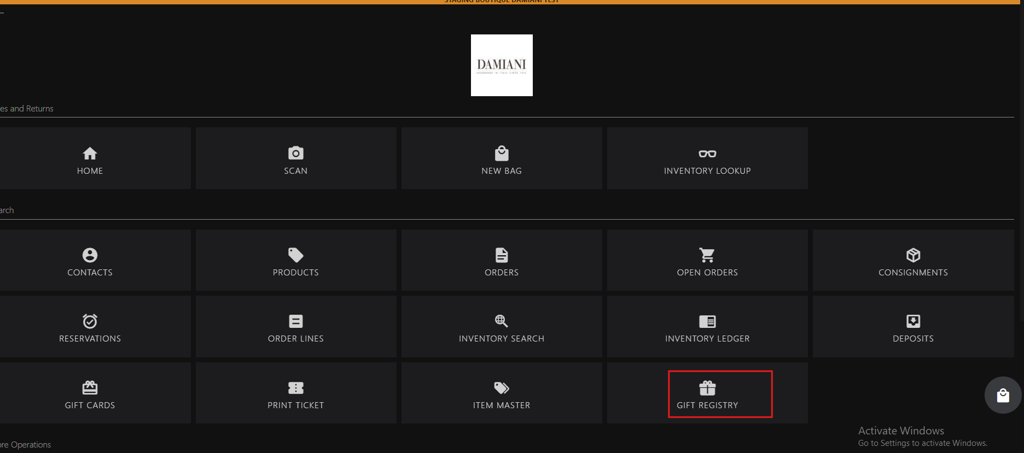
Click GIFT REGISTRY.
-
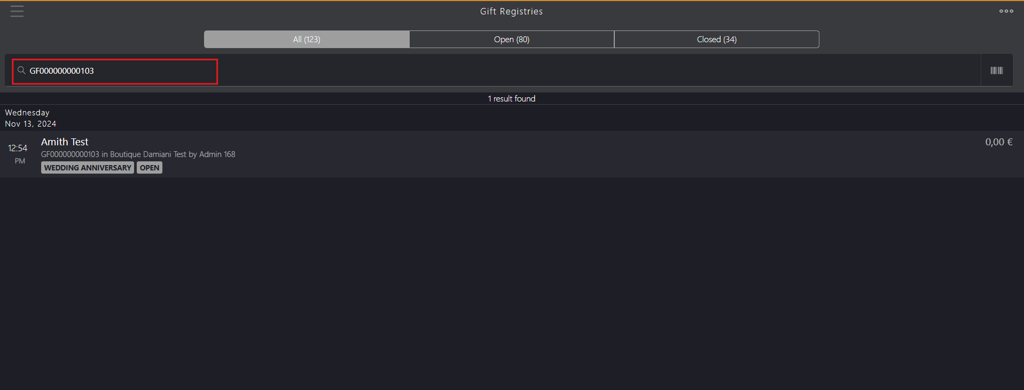
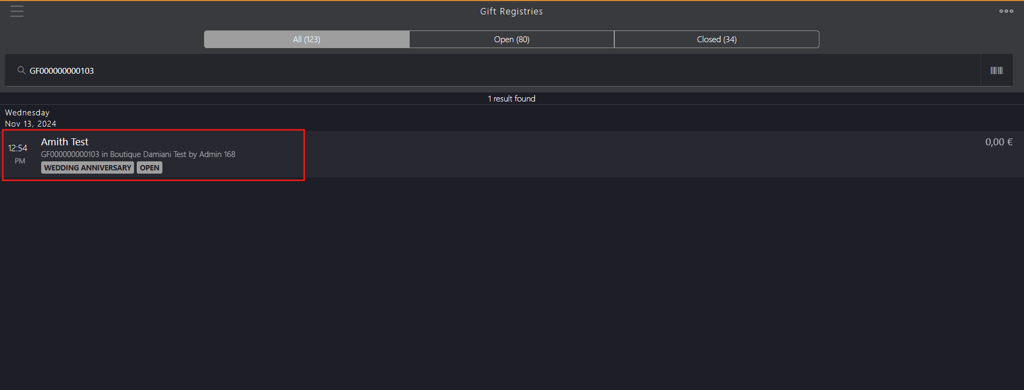
Search for the gift registry using account holder's name, gift registry id or gift registry tag in Gift Registries search box.
-
Select the name from the search result to display the gift registry account.
-
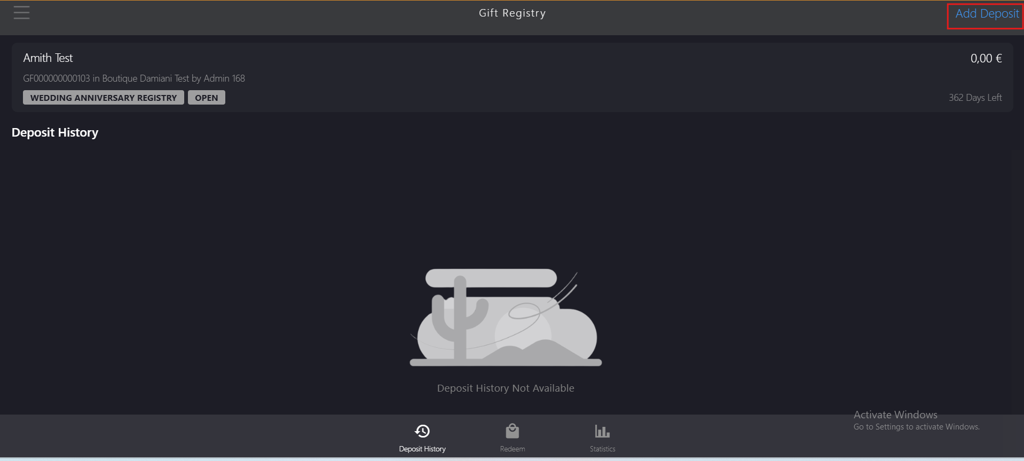
Click Add Deposit on the Gift Registry page.
-
Enter the amount in Deposit Amount field on Registry Deposit page.

-
Click Add Deposit.

-
Click Tap to Select Customer.
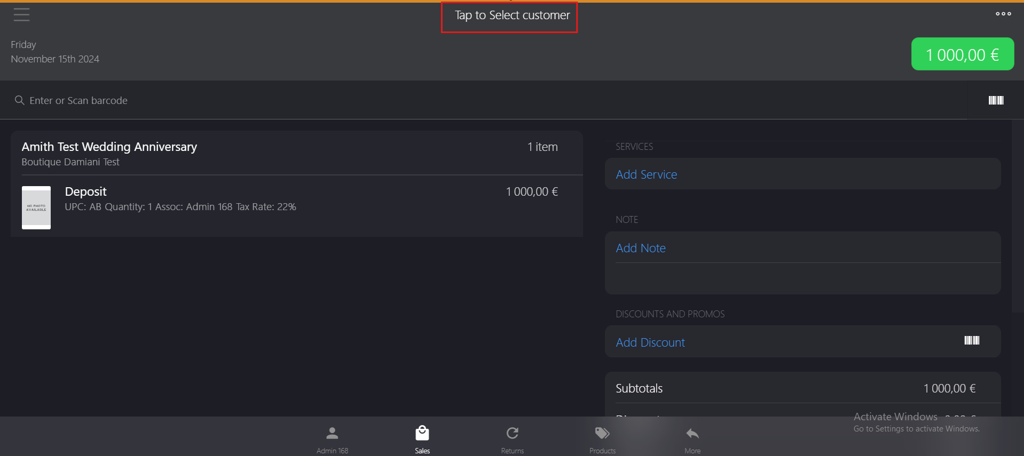
Note: Adds the individual who is contributing to the gift registry deposit account.
-
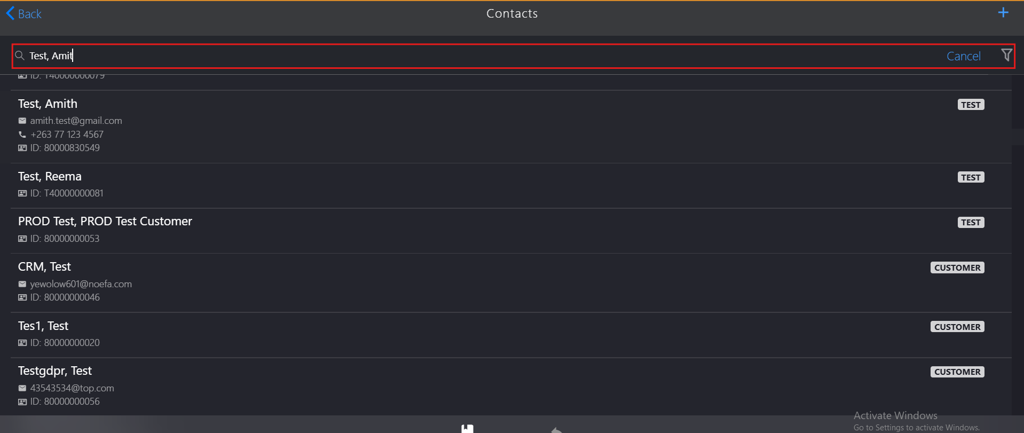
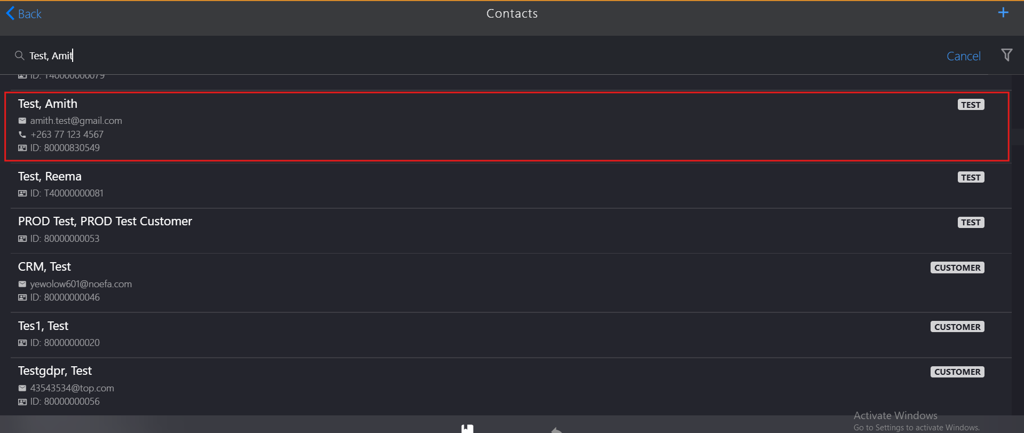
Search by name in Contacts search box.
-
Select the name from the search result.
-
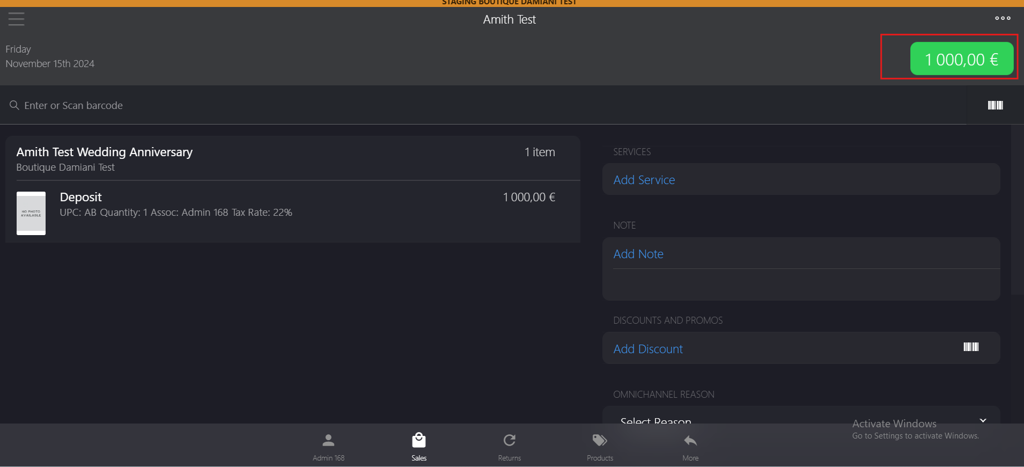
Click the green button in the upper-right corner.
-
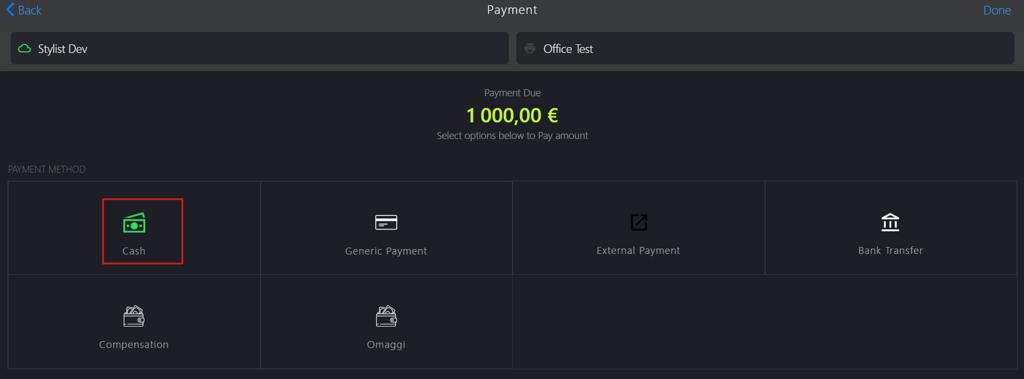
Select the PAYMENT METHOD on the Payment page, for example, Cash option.
-
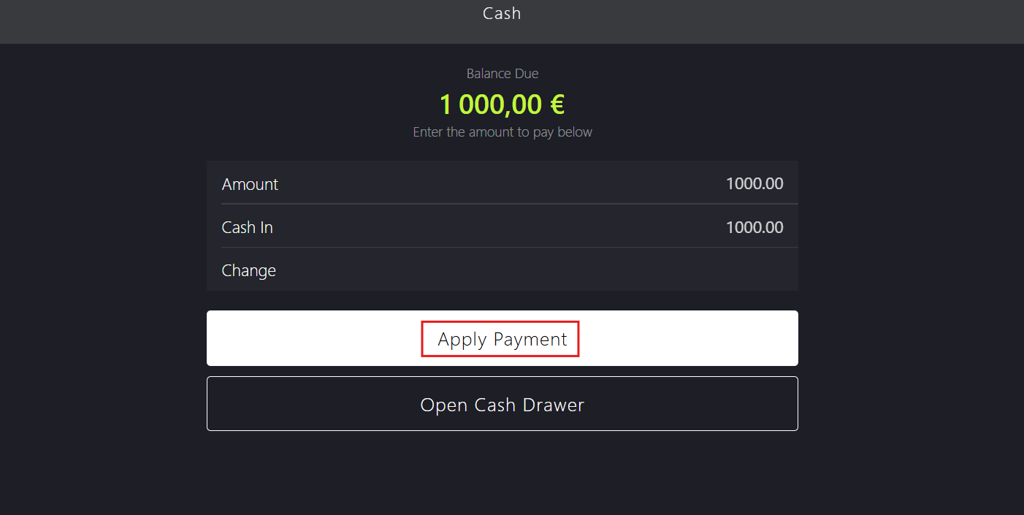
Click Apply Payment on the Cash page.
-
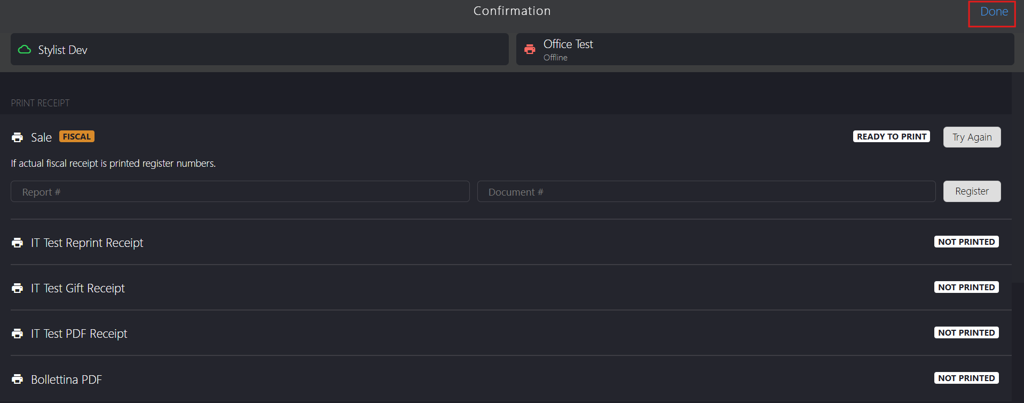
Click Done to complete the deposit transaction on the Confirmation page.