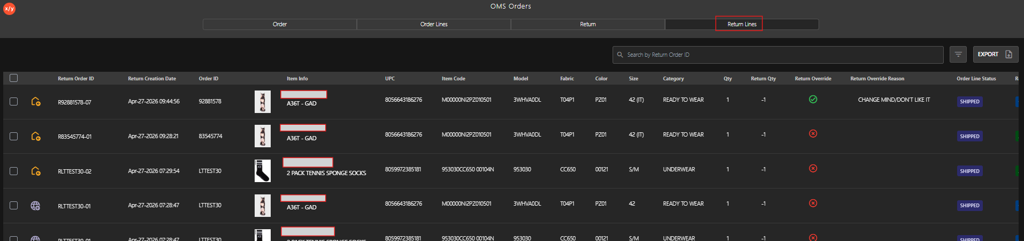
Accessing Return Lines from the OMS Dashboard
Introduction
This topic explains how to access the Return Line tab from OMS dashboard to view the centralized view of all customer return line, including their current status and key details.
Steps to Access the Return Lines
-
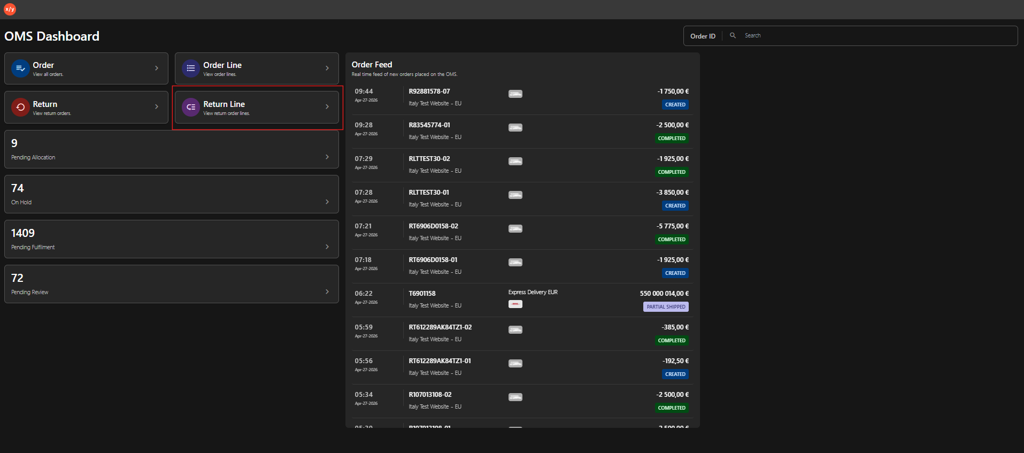
Click Return Line to access Return Lines tab.
 The system displays the master list of all return order lines along with their current status and associated details.