Modifying a Returnable Item to Non-Returnable
Introduction
This procedure explains how to update the return eligibility of an item within an order. In certain scenarios, an item that is initially marked as returnable may need to be changed to non-returnable based on business rules, product conditions, or policy decisions.
Steps to Change Item Return Status to Non-Returnable
-
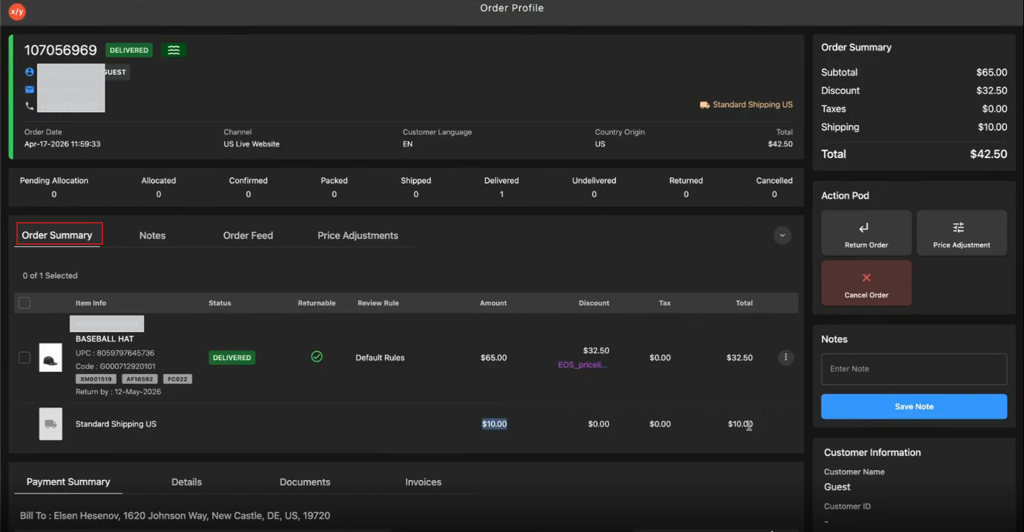
Click Order Summary.
-
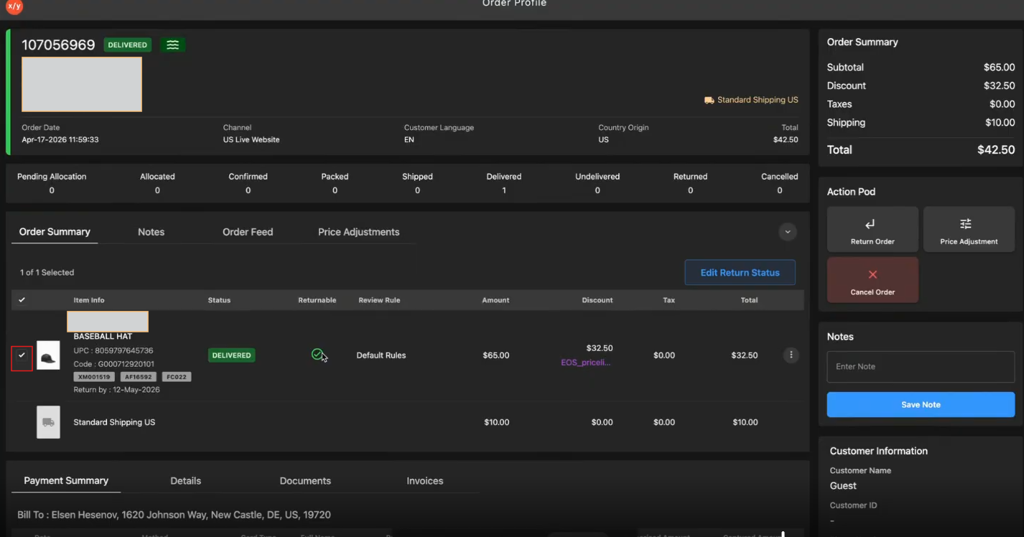
Select the item's check box to update its return status.
-
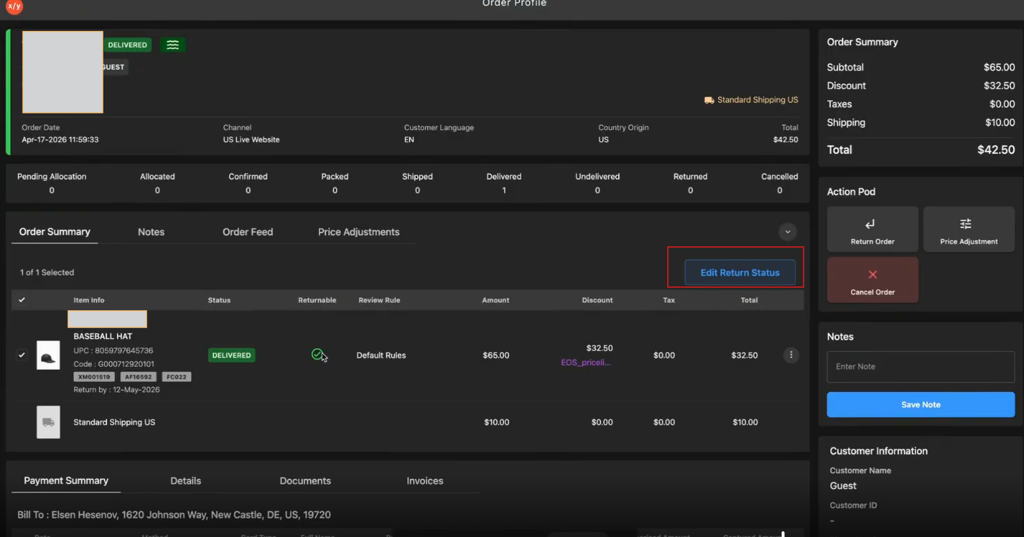
Click Edit Return Status.
-
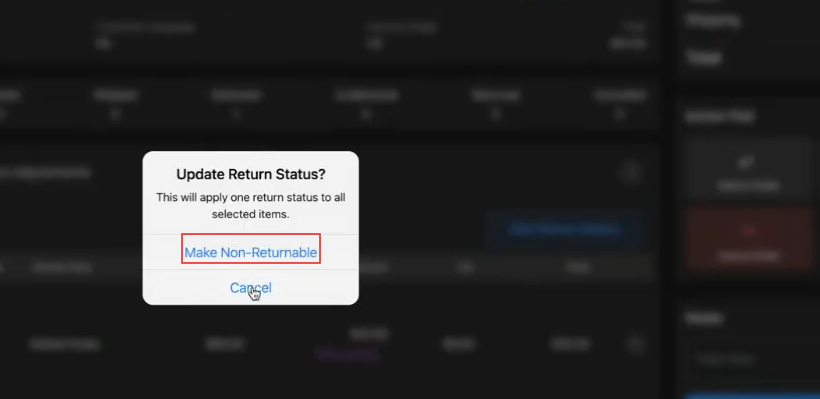
Select Make Non-Returnable to mark the item as non-returnable.