Force Editing the Shipment Address
Introduction
This topic explains how to update the shipment address for an order using the Force Edit option in the Shipment Summary section. Use this action when the delivery address is technically valid, but the customer wants to correct or refine the address details (for example, fixing spelling, unit number, or other minor errors).
Steps to Modify the Shipment Address
-
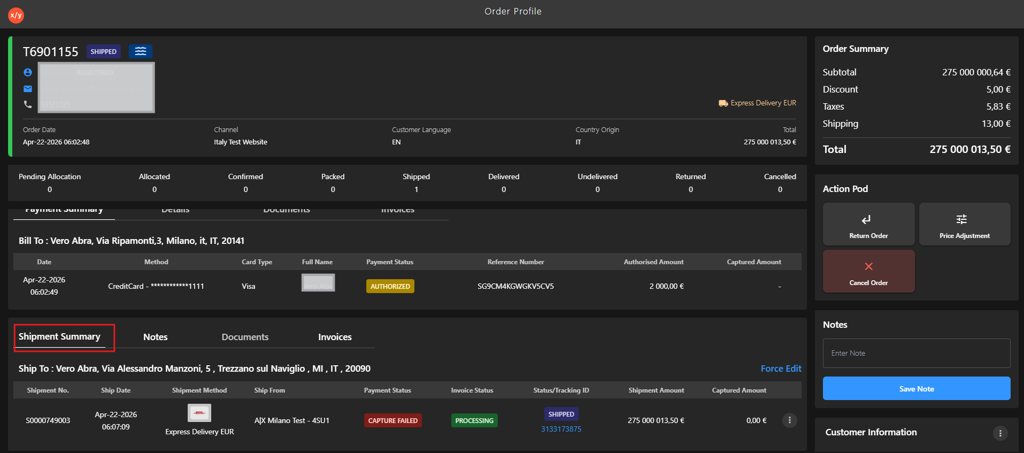
Go to Shipment Summary.
-
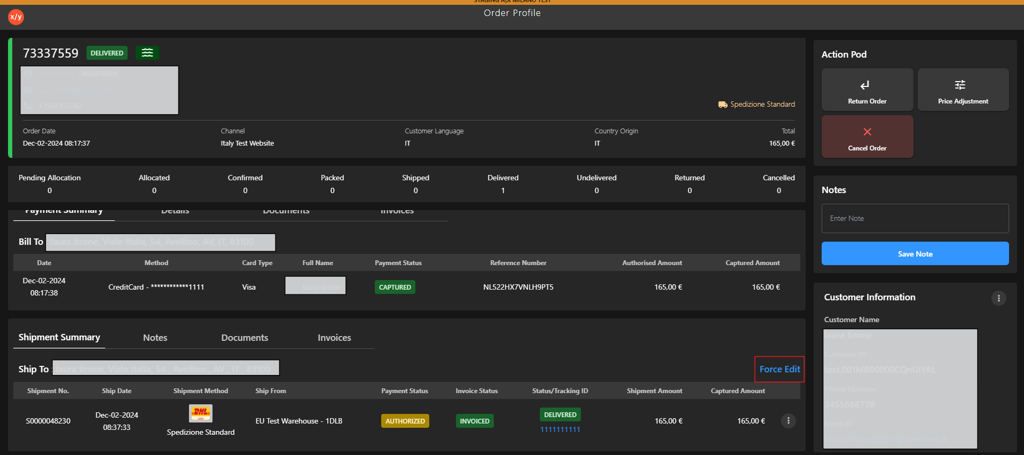
Click Force Edit.
-
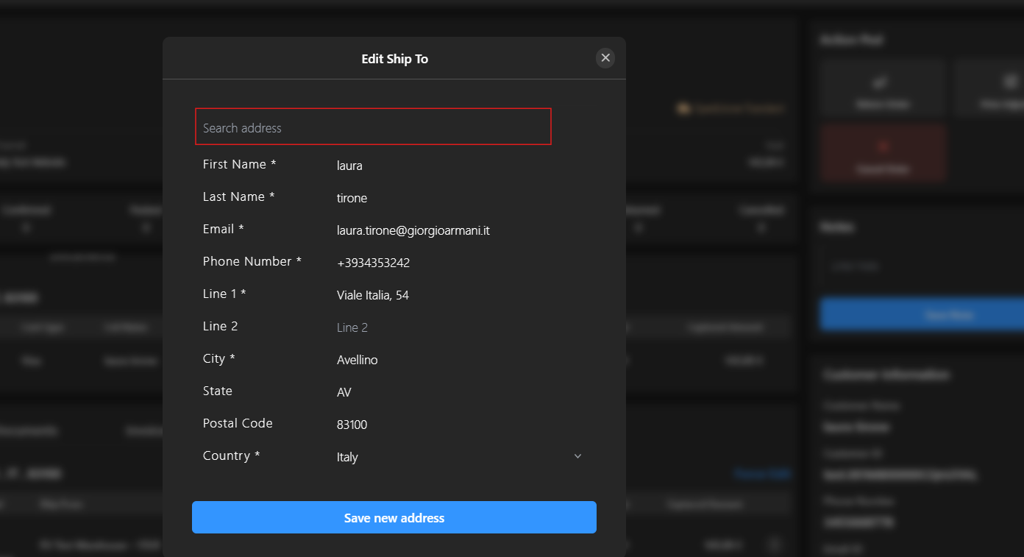
Enter the required address details in the search field to locate the correct address.
-
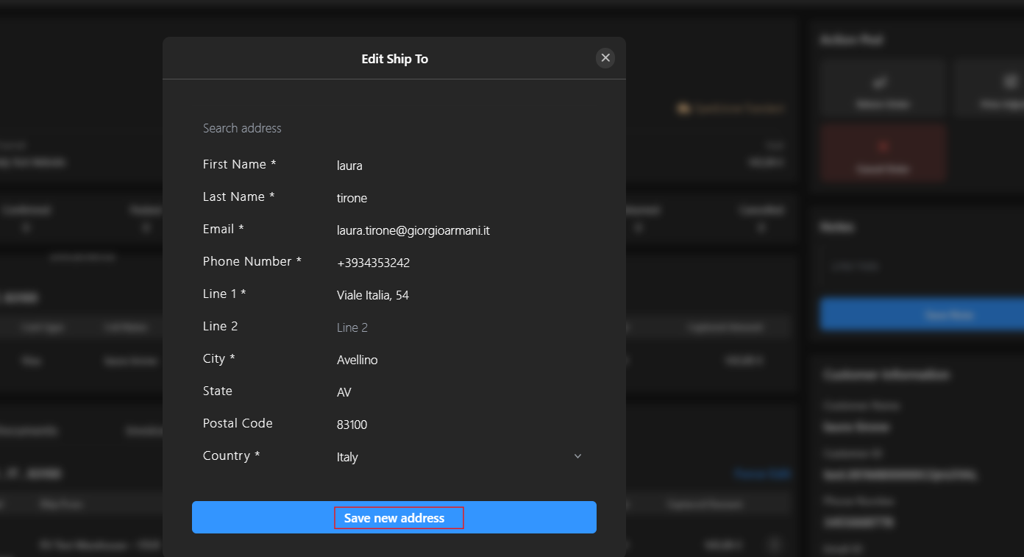
Click Save new address to apply the changes.
ℹ️ Add a Order level note to record the address change: "Address updated using Force Edit as per customer request.