Canceling an Order
Introduction
This topic explains how to cancel an order in the OMS. When an order needs to be cancelled — whether due to a customer request, inventory issues, or other reasons — you can do so directly from the Action Pod by selecting a cancellation reason.
Steps to Cancel the Order
-
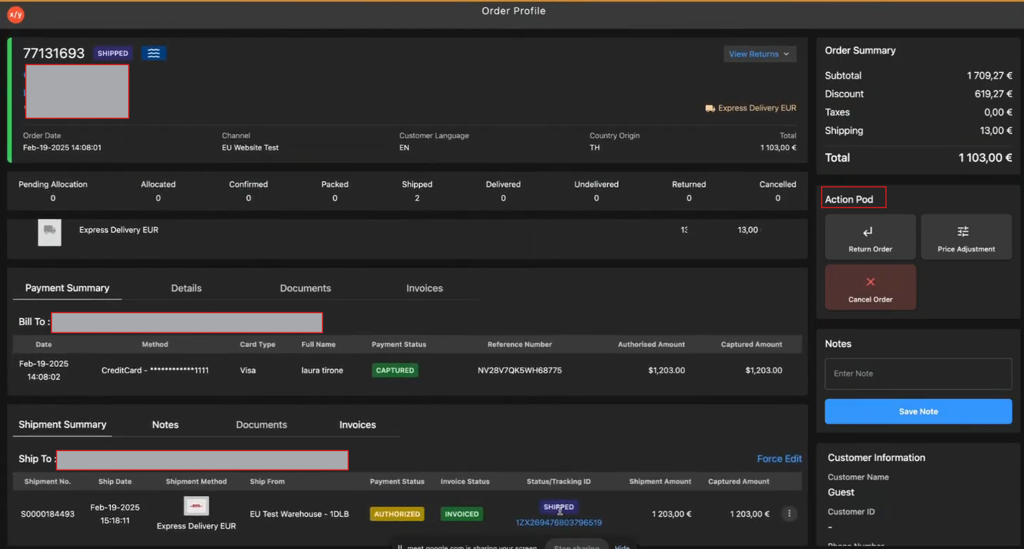
Navigate to Action Pod.
-
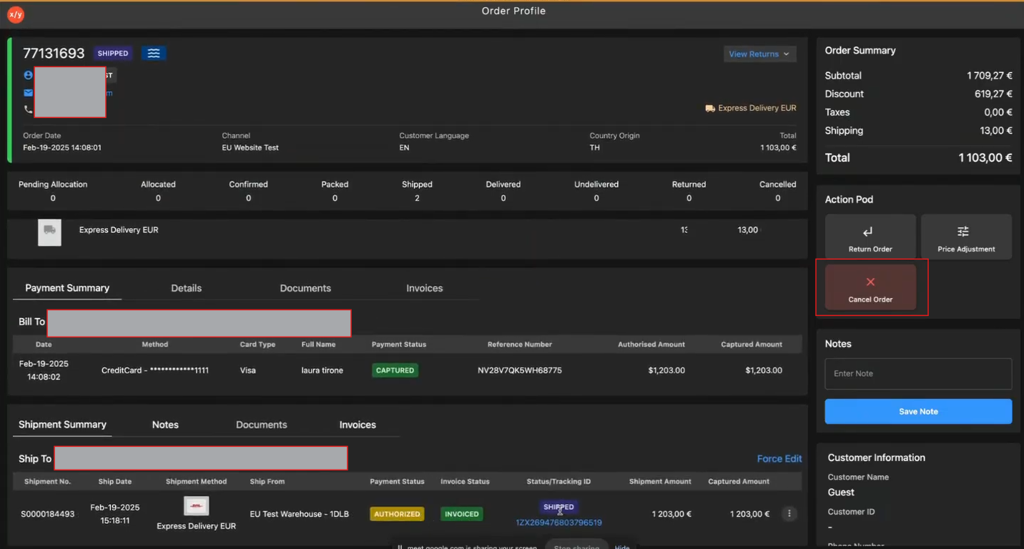
Click Cancel Order.
-
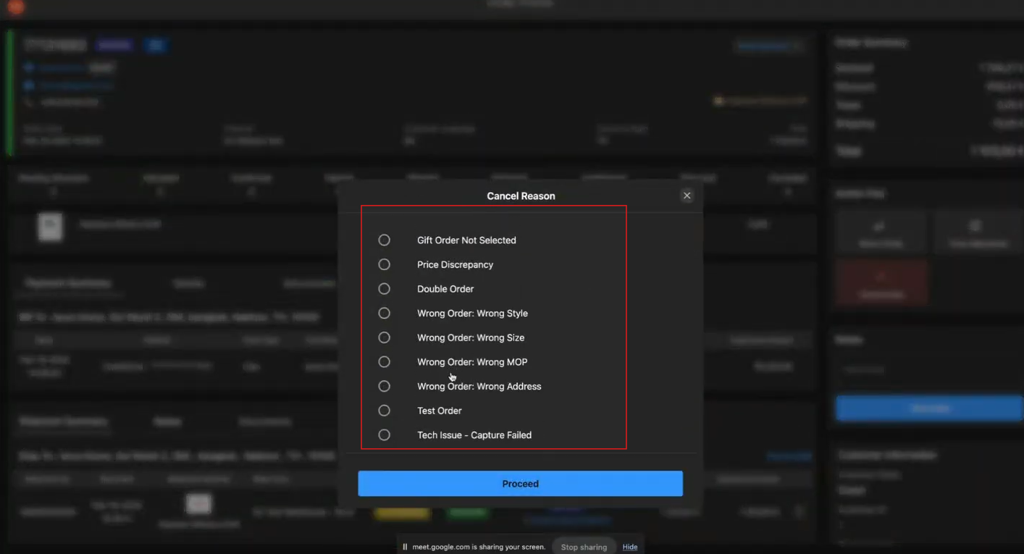
Click a appropriate cancel reason from the Cancel Reason popup
-
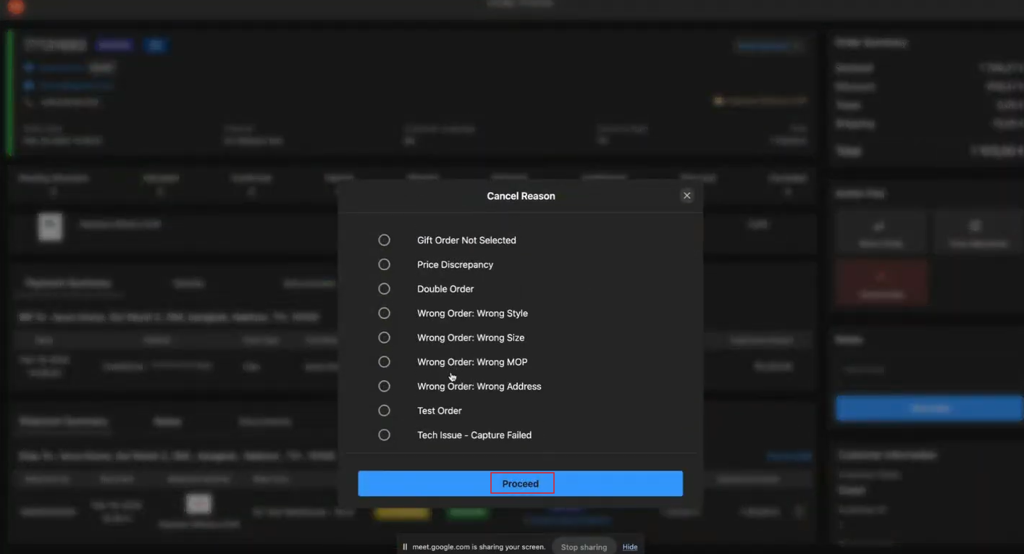
Click Proceed to cancel the order.
ℹ️ See Order cancellation Eligibility for details on order cancellation eligibility conditions.