Accessing the Order Item Flow
Introduction
This topic explains how to access Order Item Flow. Item Feed in the Order Profile provides a detailed, item-level audit trail of all actions performed on an order item. It displays the sequence of processing steps, along with their status and timestamps, from order creation through fulfillment.
Steps to Access the Order Item Flow
-
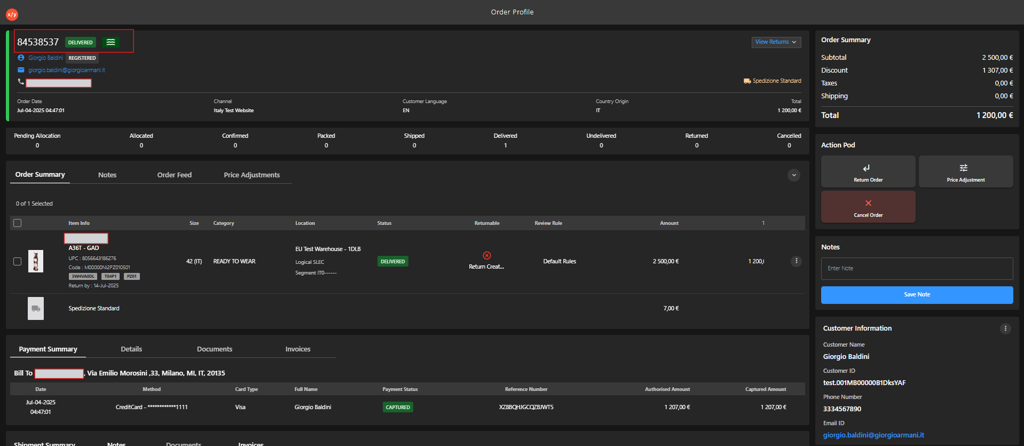
Open the Order Profile.
-
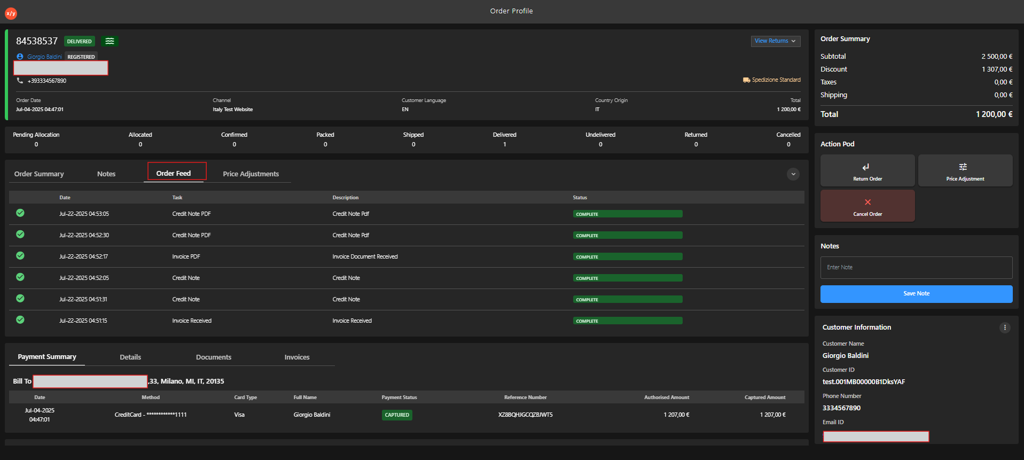
Click Order Feed tab.
-
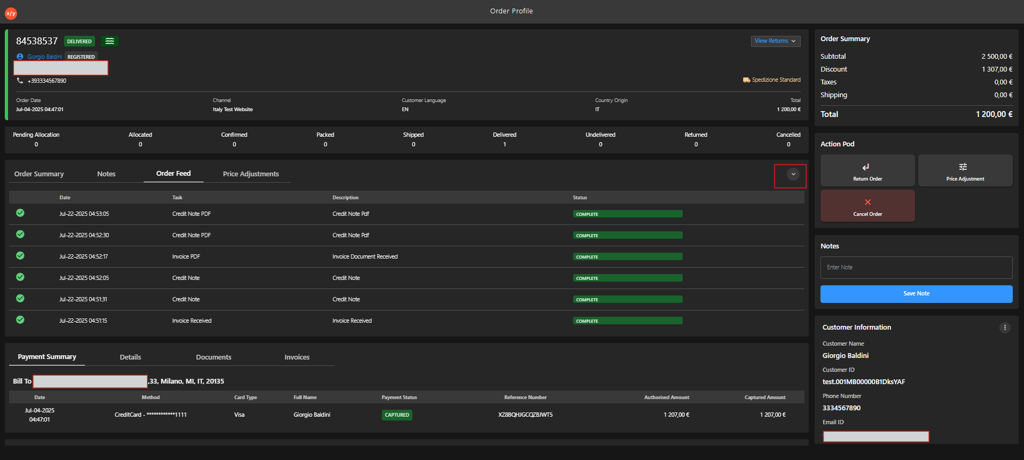
Click the Expand row.
-
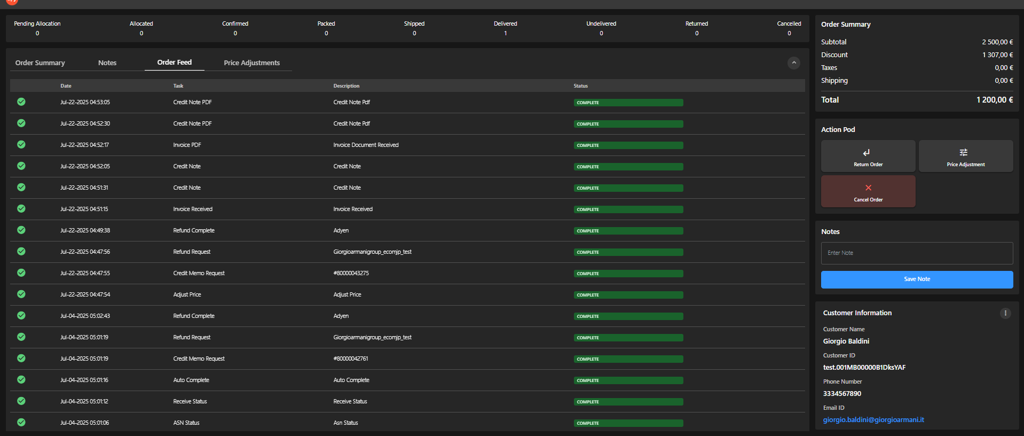
Review the activity details displayed for the item:
- Date — When the activity occurred.
- Task — The action performed (for example, Return Received, Review Accept, Credit Memo Request, Auto Complete).
- Description — Additional context or reference details.
- Status — Current state (Active or Complete).
-
Verify that all tasks are completed and no activity remains in an incomplete state.