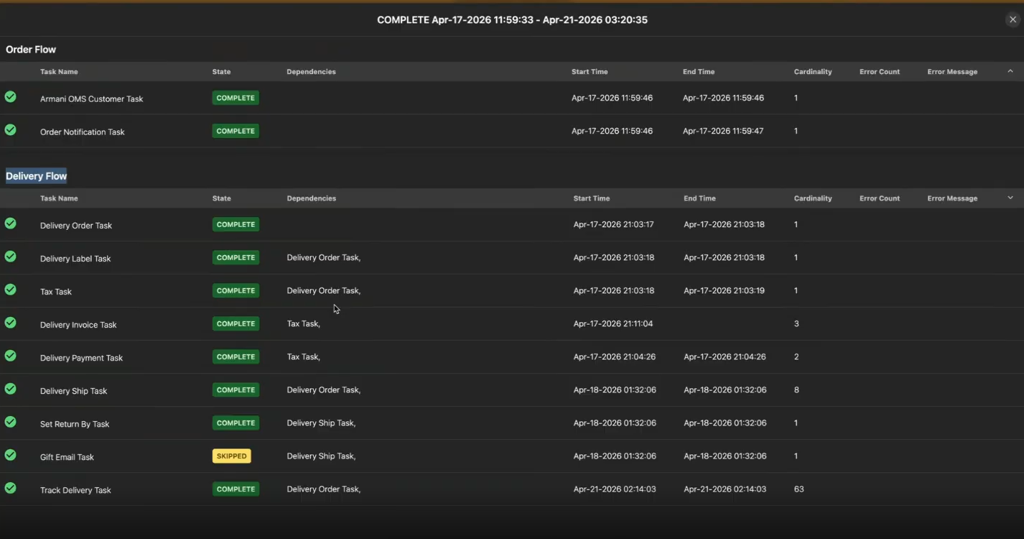
Accessing the Delivery Flow
Introduction
This topic explains how to access Delivery Flow. The Delivery Flow shows an order's journey in the OMS from fulfillment to delivery. It covers shipment creation, carrier handoff, in-transit updates, and delivery confirmation.
By reviewing the Delivery Flow for an order, you can:
- Track the shipment's real-time delivery status.
- Identify the order's current stage in the delivery journey.
- Spot delays, exceptions, or failed delivery attempts.
- Confirm all delivery milestones completed as expected.
Steps to Access Delivery Flow
-
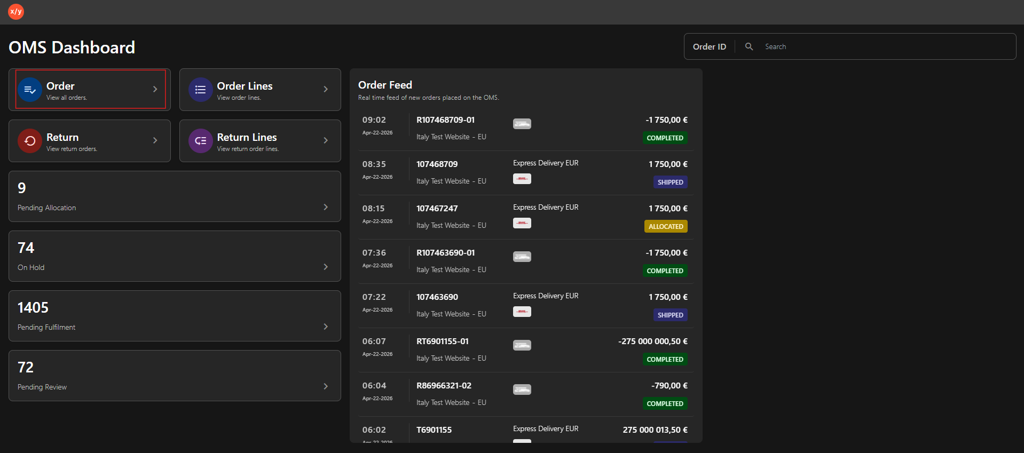
Click Order.
-
Select one of the following options in Order dashboard.
-
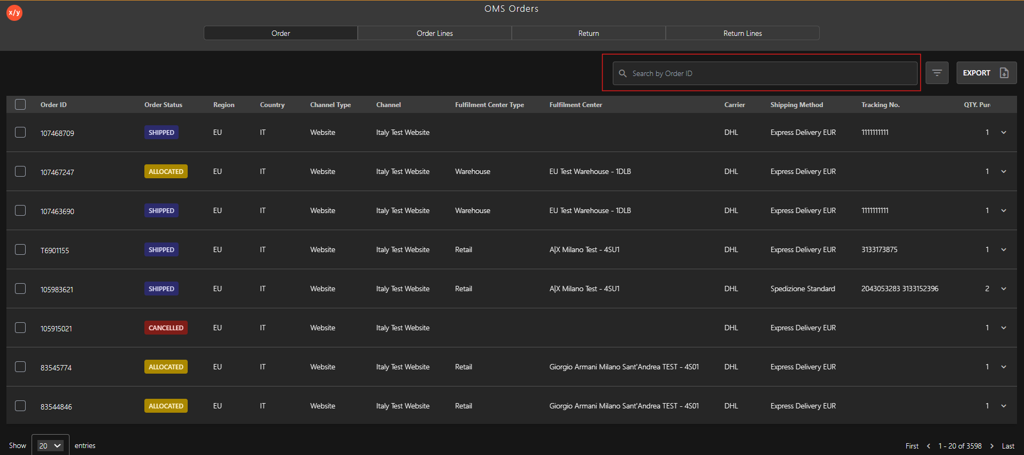
Search Box
-
Enter the Order ID in the Search by Order ID field.
-
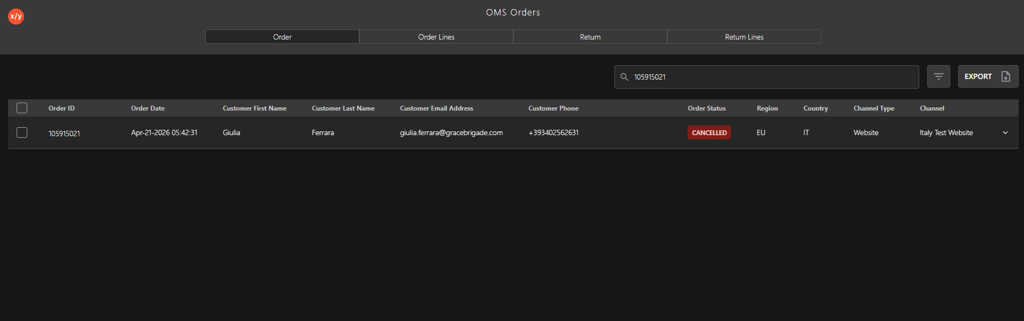
Press Enter to display the order details.
-
-
-
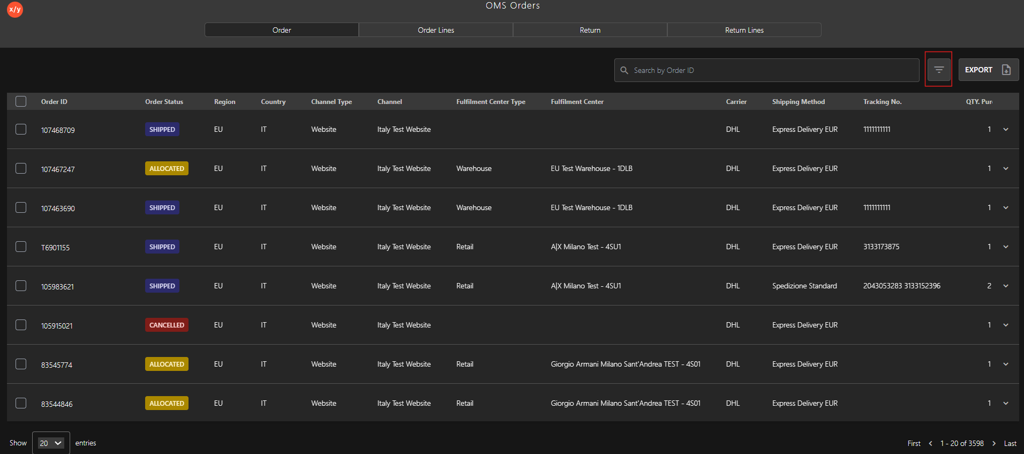
Click the Filter icon.
-
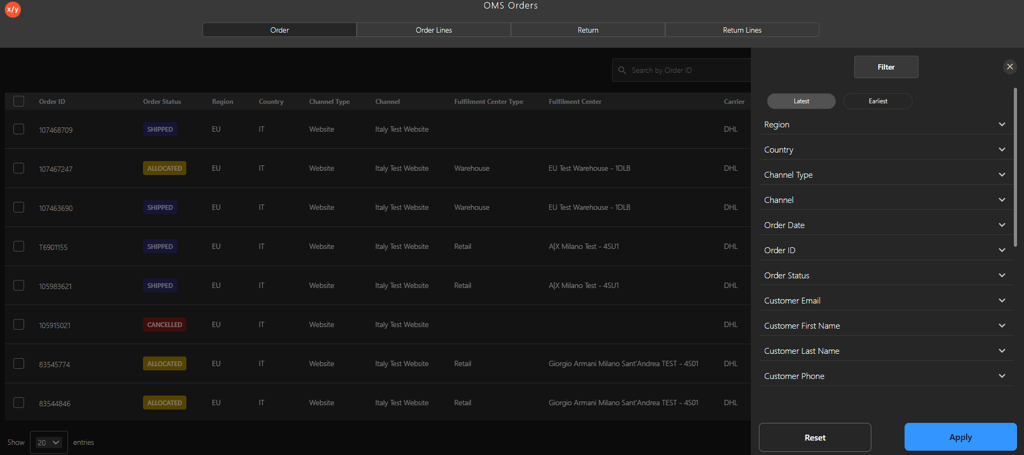
Select one of the following Filter category.
- Order ID
- Customer Email
- Customer First Name
- Customer Last Name
- Customer Phone
- Tracking Number
-
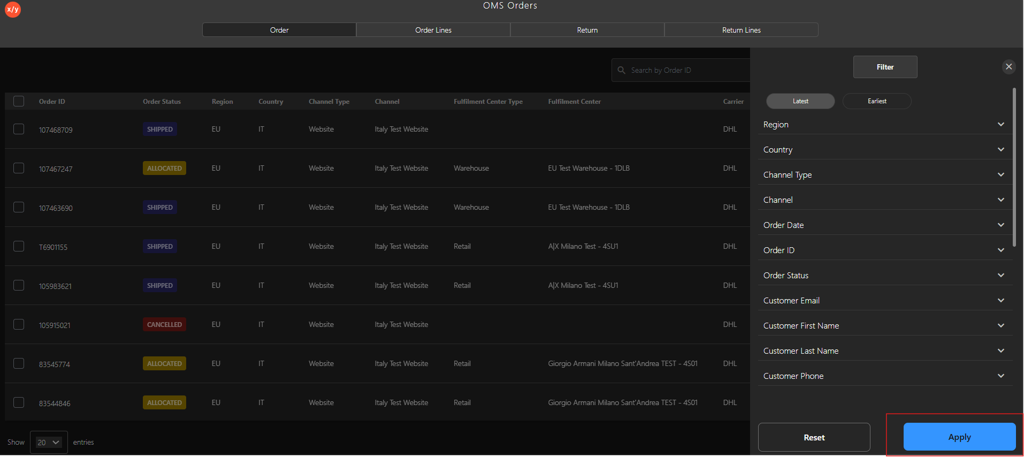
Click Apply to view the filtered results.
-
-
-
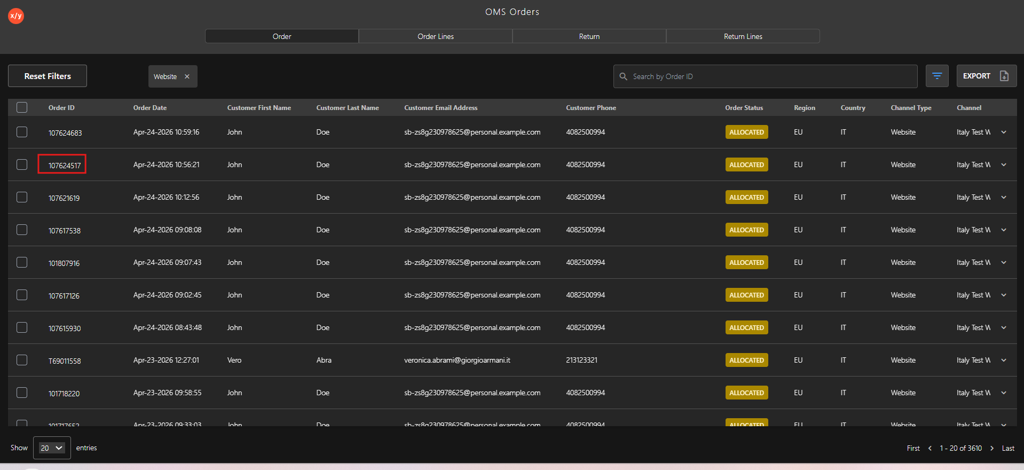
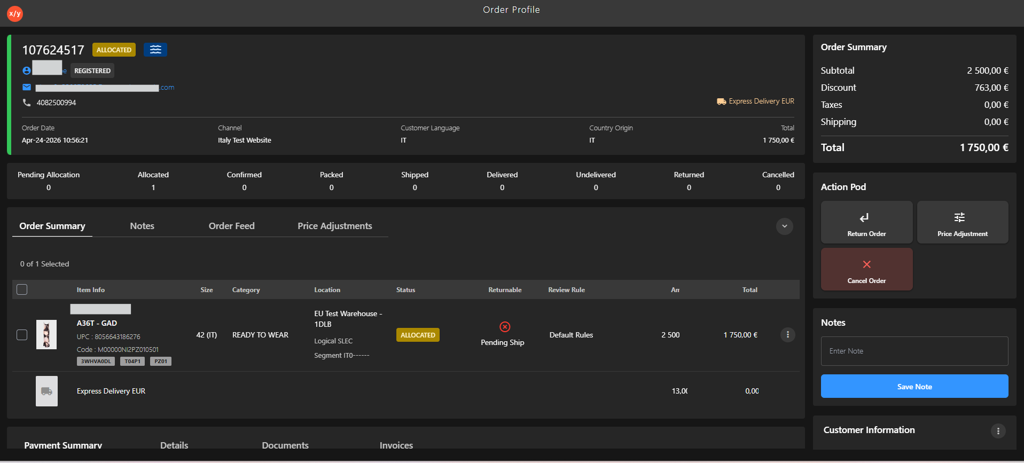
Click the Order ID to verify the order details
-
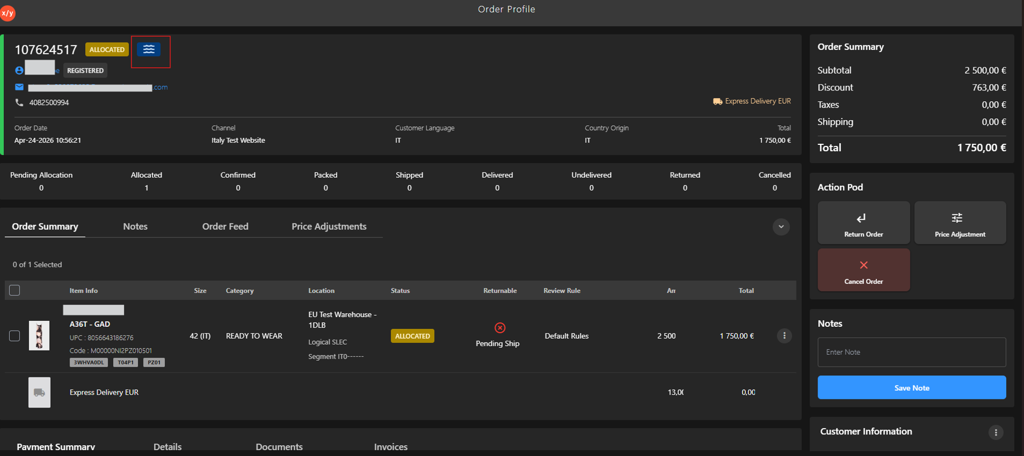
Click the Order Flow icon.
-
Verify the Delivery Flow.